Case Study

Improving Visit Reminder Clarity

Reducing real-world confusion in a healthcare app by making system intent unmistakable.

Role: UX/UI Designer Platform: Mobile App Focus: Clarity, Accessibility, Design Systems
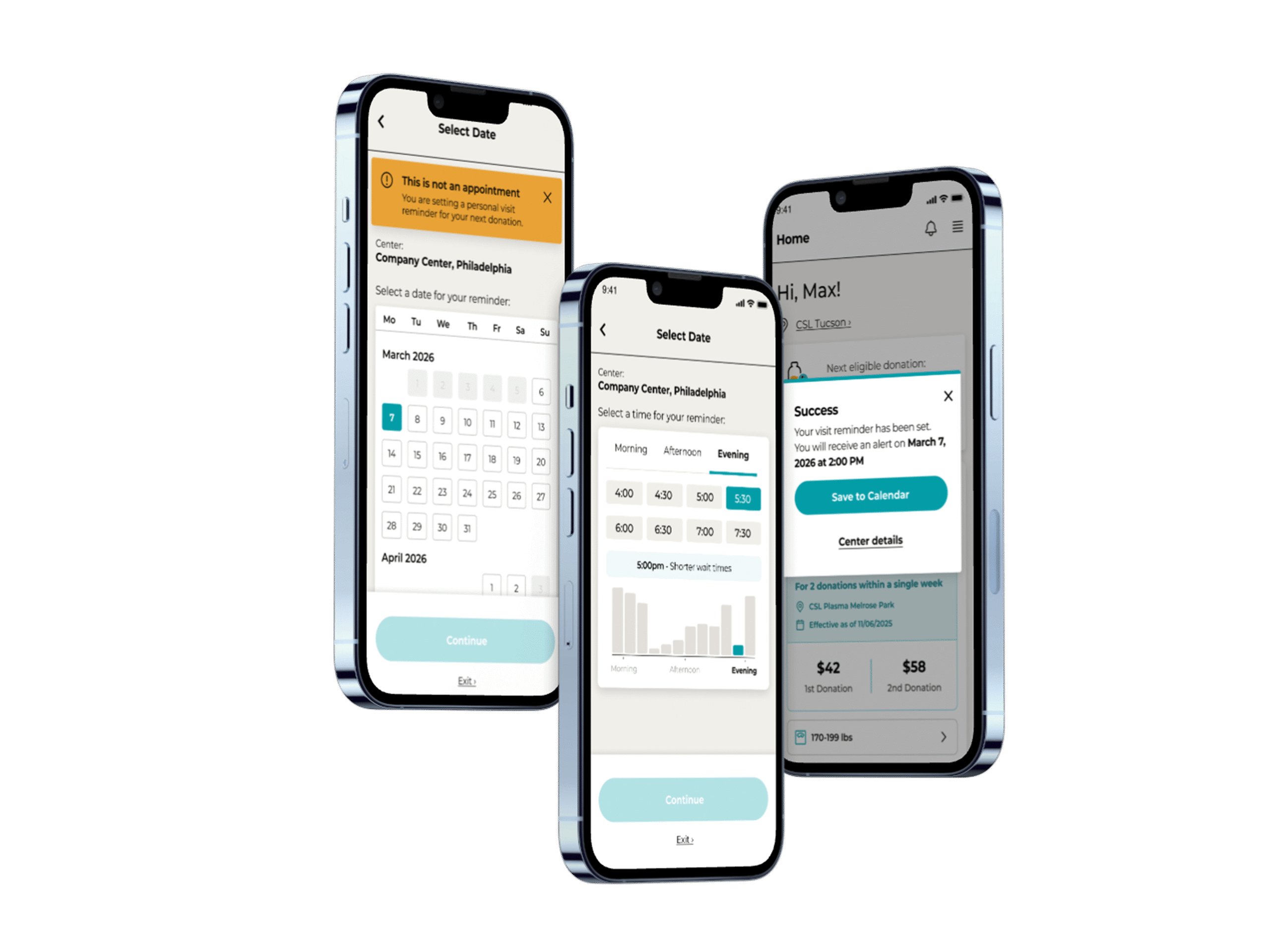
Visit reminder flow main mockup

Context

This feature allows users to set a reminder for their next visit.

At first glance, the flow seemed straightforward, but in practice, users were misunderstanding its core purpose. Instead of setting reminders, some believed they had booked actual appointments.

In a healthcare setting, that confusion doesn’t stay in the interface, it shows up in real life.
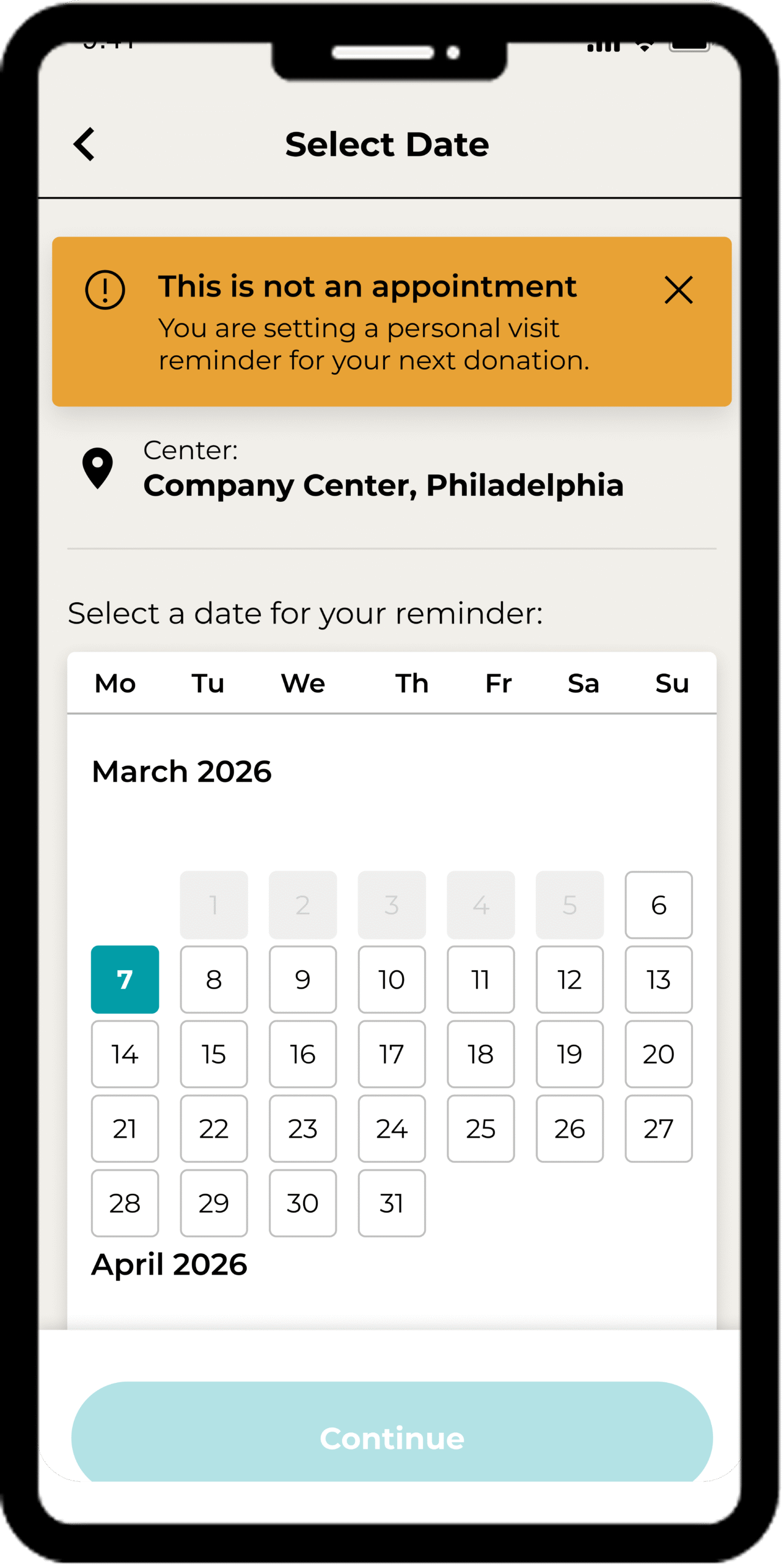
Visit reminder flow screen showing the updated reminder experience
Updated reminder flow concept.

Problem

Users were arriving at centers expecting appointments that didn’t exist.

The interface failed to clearly communicate intent. The most critical message, “this is not an appointment,” was easy to miss, allowing users to complete the flow with the wrong understanding.

This created friction for both users and center staff, turning a simple feature into a source of operational confusion.

Why This Matters

This wasn’t just a UI issue, it was a trust and expectation problem.

  • Users lose confidence in the app.
  • Staff must manage avoidable frustration.
  • The product creates real-world inefficiencies.

Clarity here wasn’t a nice-to-have. It was essential.

Design Approach

I focused on making intent clear before users could misinterpret the flow, while improving accessibility and aligning with the updated pattern library.

Goal

  • Make it clearer that users are setting a reminder, not booking an appointment.
  • Improve accessibility and visual clarity.
  • Align the flow with the updated pattern library.

Key Issues Identified


This issue surfaced through feedback. We reviewed the existing flow and identified two failure points: the critical disclaimer was buried below the fold, and the busy indicator relied on color alone.

1) Critical messaging was easy to miss

The disclaimer “This is not an appointment” was placed at the bottom of the screen.

Users could move through the flow without ever seeing it, making the most important information feel secondary.

2) Accessibility gaps in time selection

Busy indicators relied heavily on red, yellow, and green color states alongside an icon.

This created challenges for users with color vision deficiencies and made an already important decision harder to interpret.

Older visit reminder flow showing easy-to-miss messaging and color-based busy indicators
Earlier version where critical meaning was easy to miss.

Improvements

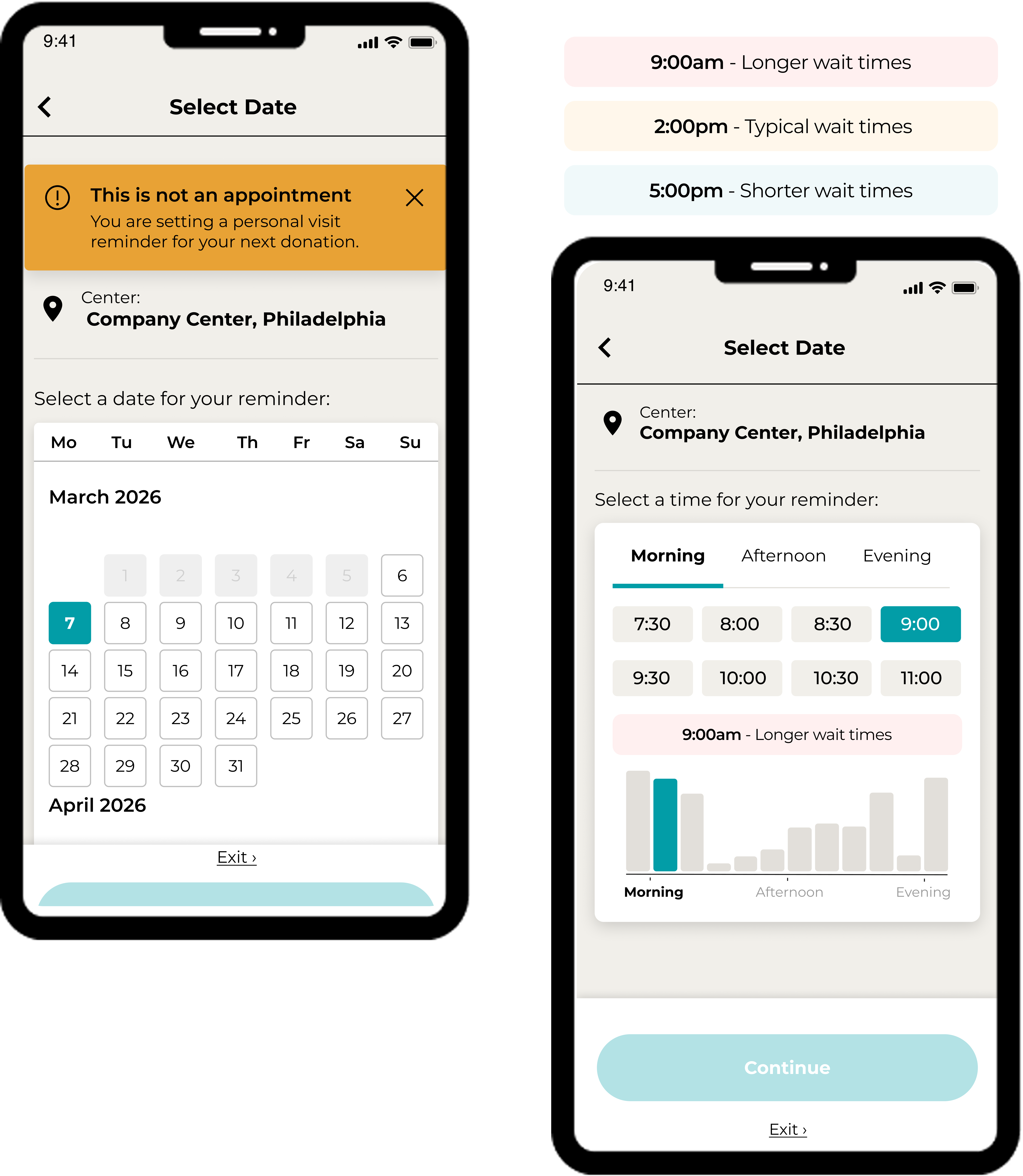
1) Front-loaded clarity

Introduced a dismissible banner at the top of the screen to clearly communicate that users are setting a reminder, not booking an appointment.

This ensures the message is seen early, before users commit to the flow.

2) Accessible data visualization

Replaced the color-only busy indicator with a bar chart.

This allows users to interpret busyness through both height and color, reducing reliance on color perception and improving scannability.

Updated visit reminder flow showing top banner and improved busy indicator
Reworked reminder flow with clearer messaging and more accessible visual cues.

Impact

  • Reduced confusion between reminders and appointments.
  • Improved accessibility for users with color vision deficiencies.
  • Aligned the flow with the updated pattern library.
  • Created a clearer, more trustworthy user experience.
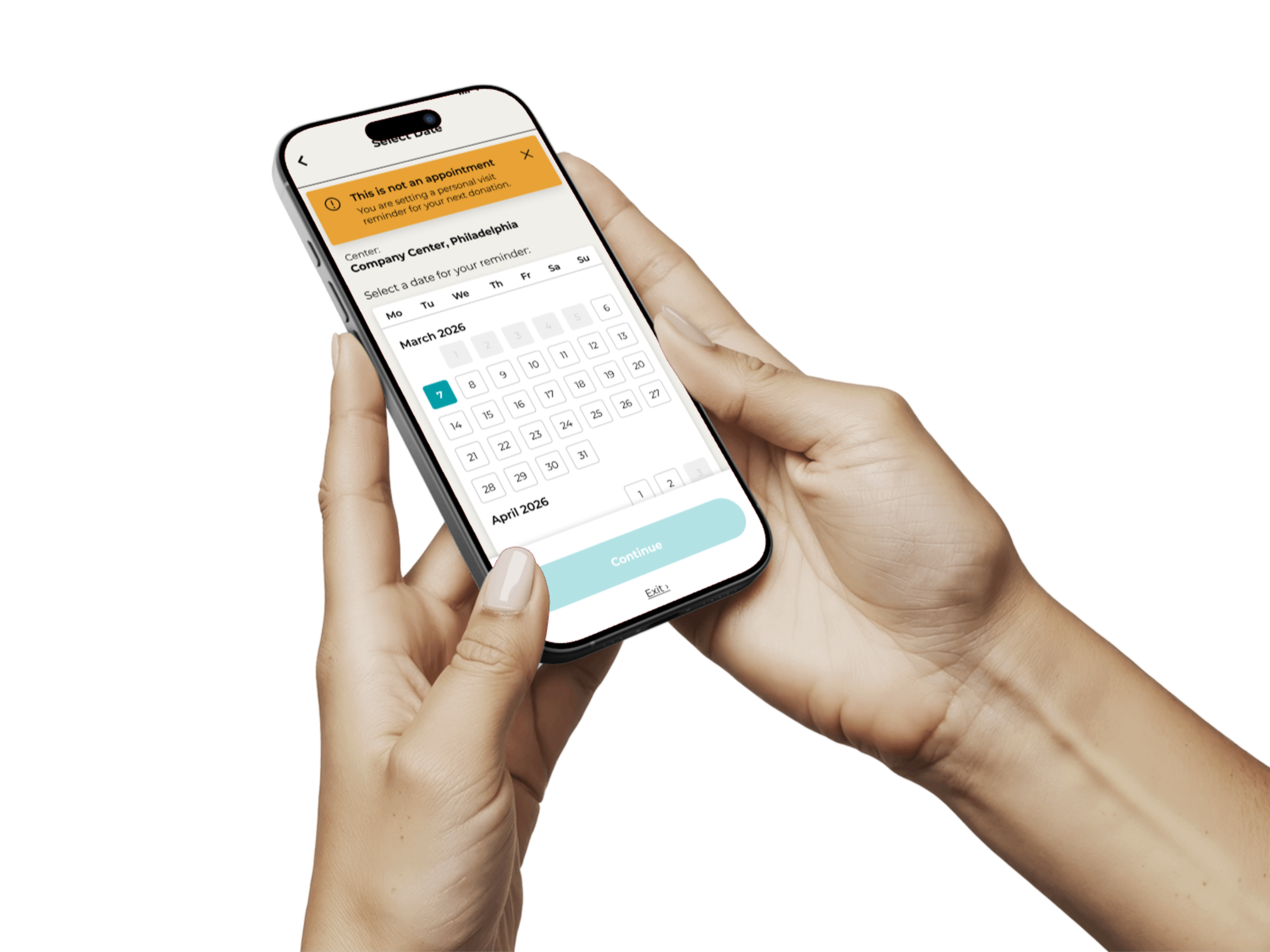
Additional visit reminder flow mockup
Additional final-state supporting mockup.

What This Shows

Small design decisions can have real-world consequences.

By making intent explicit and designing for accessibility, this work improved not just the interface, but how users understand and rely on the product.